


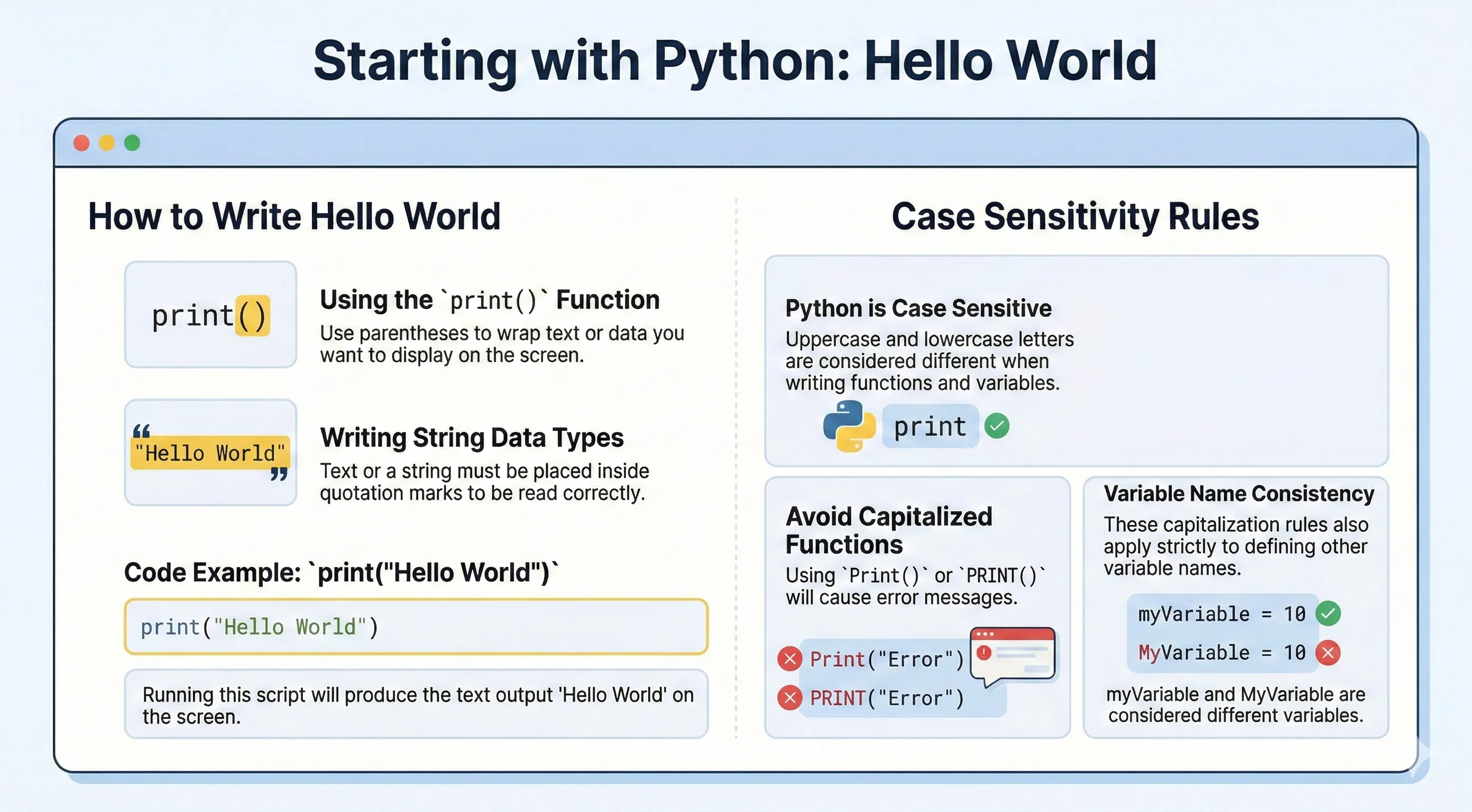
The first Python program is usually a single print() call. The print() function writes text to standard output (your terminal or console).
Basic Syntax
print("Hello World")
When you run the script above, Python prints:
Hello World
The text inside the parentheses is called an argument. String arguments must be wrapped in quotes, either single quotes ('...') or double quotes ("..."). Both are equivalent:
print('Hello World')
print("Hello World")
You can also print numbers and expressions without quotes:
print(42)
print(10 + 5)
Printing Multiple Values
print() accepts several arguments separated by commas. By default it joins them with a space and adds a newline at the end. The sep and end options change that:
print("Hello", "World")            # Hello World
print("a", "b", "c", sep="-")      # a-b-c
print("No newline here", end=" ")
print("same line")                 # No newline here same line
An empty print() simply prints a blank line.
Indentation
Python uses indentation (whitespace at the beginning of a line) to define code blocks. Unlike many languages that use braces {}, Python relies on consistent indentation:
if True:
    print("This is indented")
Using incorrect indentation raises an IndentationError.
Python Case Sensitivity
Python is case-sensitive. print() works, but Print() or PRINT() raises NameError.
This rule also applies to variable names and function names. For example, name and Name are two different variables.