


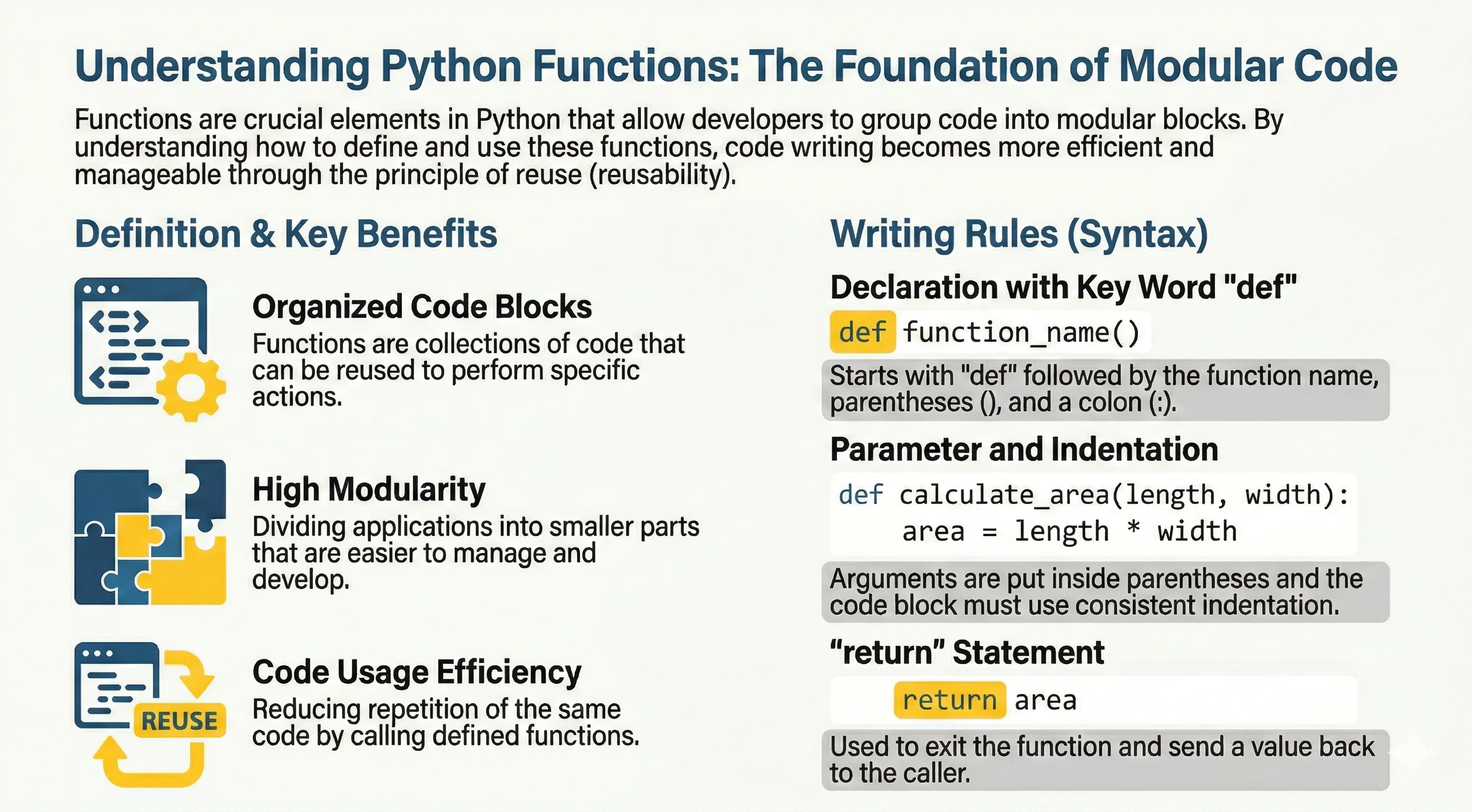
A function is a reusable block of code used to perform a specific task. Functions help you split a large program into smaller, named pieces, avoid repeating yourself, and make code easier to read, test, and maintain.
Python has two kinds of functions:
- Built-in functions — already available, such as
print(),len(),sum(), andrange(). - User-defined functions — the ones you create yourself with
def.
Defining Python Functions
Use def followed by the function name and parameters:
def print_message(text):
    """Print a message to the console."""
    print(text)
Important rules:
- Function blocks start with
def. - Parameters are written inside parentheses.
- The function body is indented.
returnsends a value back to the caller.- If no
returnis given, the function returnsNone.
Calling a Function
Defining a function does not run it. You have to call it by writing its name followed by parentheses:
def greet():
    print("Hello, Python!")

greet()   # Hello, Python!
greet()   # Hello, Python!
The code inside runs only when the function is called, and you can call it as many times as you need.
Parameters and Arguments
A parameter is the variable listed inside the parentheses in the definition. An argument is the actual value you send when calling the function.
def greet(name, greeting="Hello"):
    return f"{greeting}, {name}!"

print(greet("Bob"))
print(greet("Bob", greeting="Hi"))
By default, a function must be called with the correct number of arguments:
def add(a, b):
    return a + b

print(add(3, 4))   # 7
Calling add(3) or add(3, 4, 5) would raise a TypeError.
The return Statement
return ends the function and sends a value back to the caller. A function without return (or with a bare return) gives back None.
def square(n):
    return n * n

result = square(5)
print(result)   # 25


def no_return():
    pass

print(no_return())   # None
Returning Multiple Values
A function can return several values at once as a tuple, which you can unpack:
def min_max(numbers):
    return min(numbers), max(numbers)

low, high = min_max([4, 1, 9, 2])
print(low, high)   # 1 9
Keyword Arguments
You can pass arguments by name. Then the order does not matter:
def describe_pet(animal, name):
    print(f"I have a {animal} named {name}.")

describe_pet(name="Milo", animal="cat")
Default Argument Values
Give a parameter a default so the caller can leave it out:
def power(base, exponent=2):
    return base ** exponent

print(power(5))      # 25  (exponent defaults to 2)
print(power(5, 3))   # 125
Note: Avoid using a mutable object (like a list or dict) as a default value. The default is created once and shared across calls. Use
Noneinstead and create the object inside the function.
def add_item(item, items=None):
    if items is None:
        items = []
    items.append(item)
    return items

print(add_item(1))   # [1]
print(add_item(2))   # [2]
Special Parameter Types (Python 3)
Python supports positional-only and keyword-only parameters:
def combine(a, b, /, sep="-", *, upper=False):
    text = f"{a}{sep}{b}"
    return text.upper() if upper else text

print(combine("py", "thon"))
print(combine("py", "thon", sep="_", upper=True))
- Parameters before
/are positional-only. - Parameters after
*are keyword-only.
Variable-Length Arguments
Use *args to accept any number of positional arguments and **kwargs for any number of keyword arguments:
def total(*numbers):
    return sum(numbers)


def show_info(**kwargs):
    for key, value in kwargs.items():
        print(key, "=", value)

print(total(1, 2, 3, 4))
show_info(name="Alice", age=22)
Inside the function, args is a tuple and kwargs is a dictionary.
Docstrings
A docstring is a string literal placed as the first line of a function. It documents what the function does and is available at runtime through help() or the __doc__ attribute.
def area(width, height):
    """Return the area of a rectangle."""
    return width * height

print(area.__doc__)   # Return the area of a rectangle.
The pass Statement
A function body cannot be empty. Use pass as a placeholder when you plan to write the code later:
def todo_later():
    pass
Variable Scope
Where a variable is created decides where it can be used. Python looks up names using the LEGB rule: Local → Enclosing → Global → Built-in.
A variable created inside a function is local — it exists only while the function runs:
def show():
    message = "inside"   # local variable
    print(message)

show()
# print(message)  # NameError: message is not defined out here
The global Keyword
To assign to a variable that lives at module level from inside a function, declare it global:
count = 0

def increment():
    global count
    count += 1

increment()
increment()
print(count)   # 2
The nonlocal Keyword
nonlocal lets an inner function modify a variable from the enclosing (outer) function:
def outer():
    value = "start"

    def inner():
        nonlocal value
        value = "changed"

    inner()
    return value

print(outer())   # changed
Nested Functions
You can define a function inside another function. The inner function can read variables from the outer one:
def make_greeter(greeting):
    def greet(name):
        return f"{greeting}, {name}!"
    return greet

say_hi = make_greeter("Hi")
print(say_hi("Sam"))   # Hi, Sam!
Recursion
A recursive function calls itself. Every recursion needs a base case that stops it, otherwise it runs forever:
def factorial(n):
    if n <= 1:          # base case
        return 1
    return n * factorial(n - 1)

print(factorial(5))   # 120
Type Hints in Functions
You can annotate parameters and the return value. Hints are documentation for readers and tools; Python does not enforce them at runtime.
def greet(name: str, times: int = 1) -> str:
    return f"Hello {name}! " * times

print(greet("Ada", 2))
Learn more in the Type Hints tutorial.
lambda (Anonymous Function)
For short one-line functions:
square = lambda x: x * x
print(square(5))
Use def for complex logic to keep code readable. See the Lambda tutorial for more.