


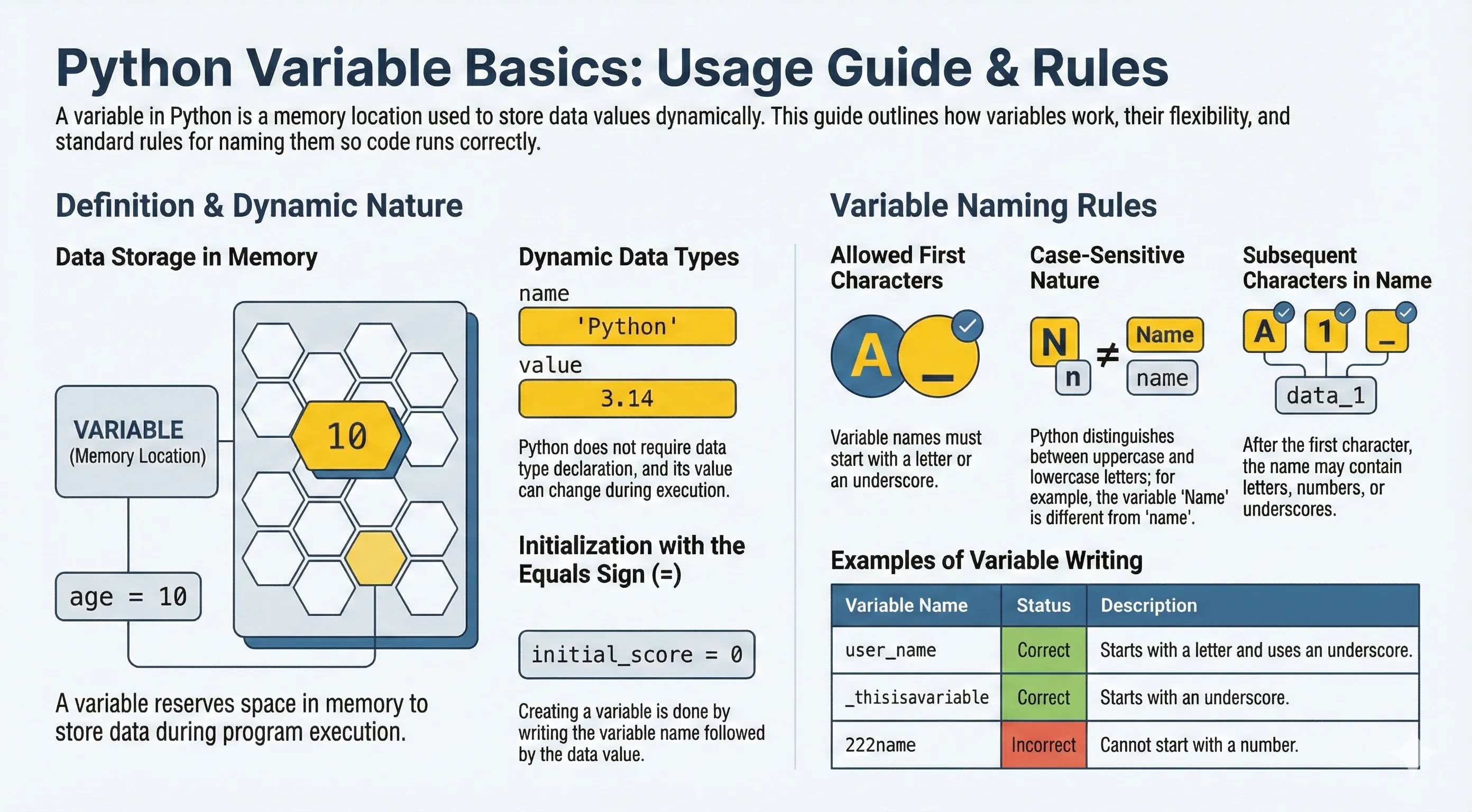
A variable is a name that points to a value stored in memory. When you assign a value to a variable, Python sets aside space for it, and you can read or change that value as the program runs.
Python variables are dynamically typed: you don't declare a type up front, and the same name can point to a number now and a string later.
Writing Python variables itself also has certain rules, namely:
- The first character must be a letter or underscore
_ - The next character can be a letter, underscore
_or number - Characters in variable names are case-sensitive. This means lowercase and uppercase letters are distinguished. For example, the variable
firstNameandfirstnameare different variables.
To start creating variables in Python it is very easy, you simply write the variable then fill it with a value by adding an equal sign = followed by the value you want to enter.
Creating and printing a variable
name = "John Doe"
print(name)
Changing value and data type
Variables can change their value and even their type during execution:
age = 20
print(age)
print(type(age))

age = "twenty one"
print(age)
print(type(age))
Combining variables
first_name = "Bob"
last_name = "Smith"
full_name = first_name + " " + last_name

age = 22
hobby = "Swimming"

print("Name:", full_name)
print("Age:", age)
print("Hobby:", hobby)
Valid variable names
my_variable = "Hello"
_private = "Hi"
count2 = 100
print(my_variable, _private, count2)
Using variables in calculations
length = 10
width = 5
area = length * width
print("Area:", area)
Multiple Assignment
Python can assign to several variables in one line, which is handy for unpacking and swapping:
# Give each variable its own value
x, y, z = 1, 2, 3
print(x, y, z)        # 1 2 3

# Give several variables the same value
a = b = c = 0
print(a, b, c)        # 0 0 0

# Swap two variables without a temporary one
x, y = y, x
print(x, y)           # 2 1
Naming Conventions
The rules above say what is allowed; conventions say what is readable. Python code follows these widely used styles:
- Use
snake_casefor variables and functions:user_name,total_price. - Use
UPPER_CASEfor values meant to stay constant:PI = 3.14159. - Start a name with a letter and choose a meaningful word over
xortmp. - You cannot use Python keywords (
if,for,class,True, …) as names.
PI = 3.14159          # constant by convention
radius = 4
print(PI * radius ** 2)
Note: Python has no true constants.
UPPER_CASEis only a signal to other programmers that a value should not be changed.
Deleting a Variable
Use del to remove a variable's name. Accessing it afterward raises a NameError.
score = 100
print(score)   # 100
del score
# print(score)  # NameError: name 'score' is not defined