


Web development is a broad term for conceptualizing, creating, deploying, and operating web applications and application programming interfaces for the Web.
Python Use in Web Development
Python can be used to build server-side web applications. While a web framework is not required to build a web application, it is rare that developers would not use an existing open source library to speed up their progress in getting their application working.
Traditionally, Python runs on the server side, not in the browser. The language browsers execute natively is JavaScript, so most Python web apps combine the two: Python runs on the server, while JavaScript is sent to the client and executed by the browser. (Tools like Pyodide can now run Python in the browser via WebAssembly, but that remains the exception rather than the norm.)
To create a website using Python as its programming language, the method is very easy. But keep in mind that previously you must have mastered HTML, CSS and Javascript.
Python Web Frameworks
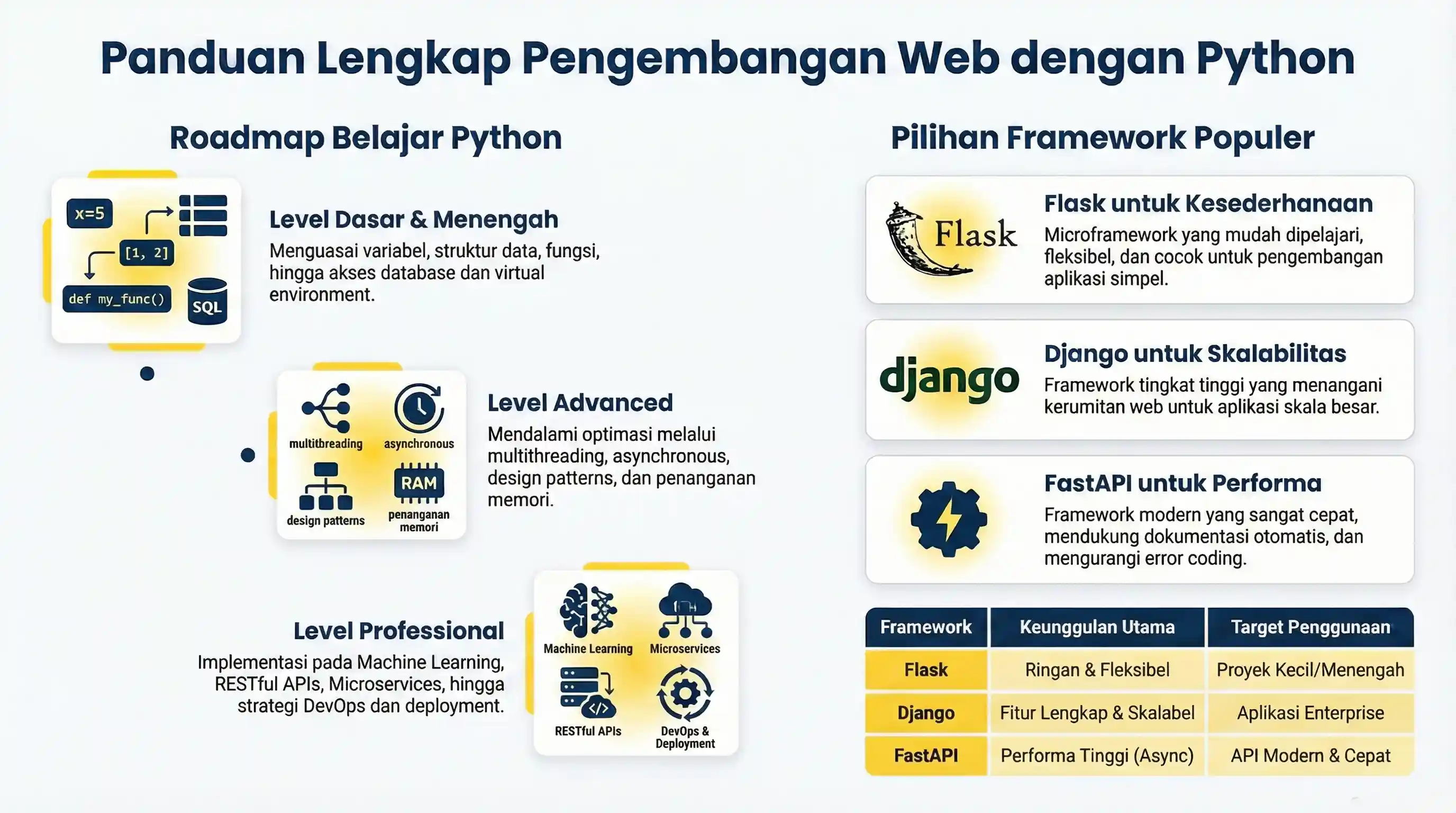
The most popular and easy-to-learn web development frameworks in python are Django, Flask, and FastAPI.
Flask
Flask is a python microframework that is easy to learn, easy to install and very simple development.
Here are some of its advantages:
- easy to use
- built-in development server and debugger
- integrated unit testing support
- restful request dispatching
- uses Jinja2 templating
- support for secure cookies (client side sessions)
- 100% WSGI 1.0 compliant
- Unicode based
- extensively documented
Flask Installation
pip install Flask
Hello World Web App with Flask
flask installed to run this code.# non-runnable: requires external environment/setup
from flask import Flask
app = Flask(__name__)
@app.route("/")
def hello():
return "Hello World!"
if __name__ == "__main__":
app.run()
Run the server with the command:
python hello.py
Open http://localhost:5000/ in your browser and Hello World! will appear
Django
Django is a high-level Python Web framework that encourages rapid development and clean, pragmatic design. It takes care of much of the hassle of Web development, so you can focus on writing your app without needing to reinvent the wheel.
The advantage of the Django Framework compared to others is in terms of scalability. This framework is suitable for large application development.
To install Django execute command below :
pip install Django
Once installed, create a new Django project:
django-admin startproject myproject
cd myproject
python manage.py runserver
Open http://127.0.0.1:8000/ in browser and you will see Django welcome page.
FastAPI
FastAPI is a modern, high-performance web framework for building APIs with Python 3.8+ based on standard Python type hints. It has become one of the most widely used Python web frameworks thanks to its speed and ease of use.
FastAPI advantages:
- High performance: built on the ASGI standard with Starlette and Uvicorn
- Fast to write: type hints reduce boilerplate and enable editor autocompletion
- Fewer bugs: automatic request validation catches malformed input early
- Automatic documentation: Swagger UI and ReDoc generated from your code
- Standards-based: built on OpenAPI and JSON Schema
FastAPI Installation:
pip install fastapi uvicorn
Hello World with FastAPI:
fastapi and uvicorn installed to run this code.# non-runnable: requires fastapi
from fastapi import FastAPI
app = FastAPI()
@app.get("/")
def read_root():
return {"Hello": "World"}
@app.get("/items/{item_id}")
def read_item(item_id: int, q: str = None):
return {"item_id": item_id, "q": q}
Run server with command:
uvicorn main:app --reload
Open http://127.0.0.1:8000/ to see the result, and http://127.0.0.1:8000/docs for interactive API documentation.