


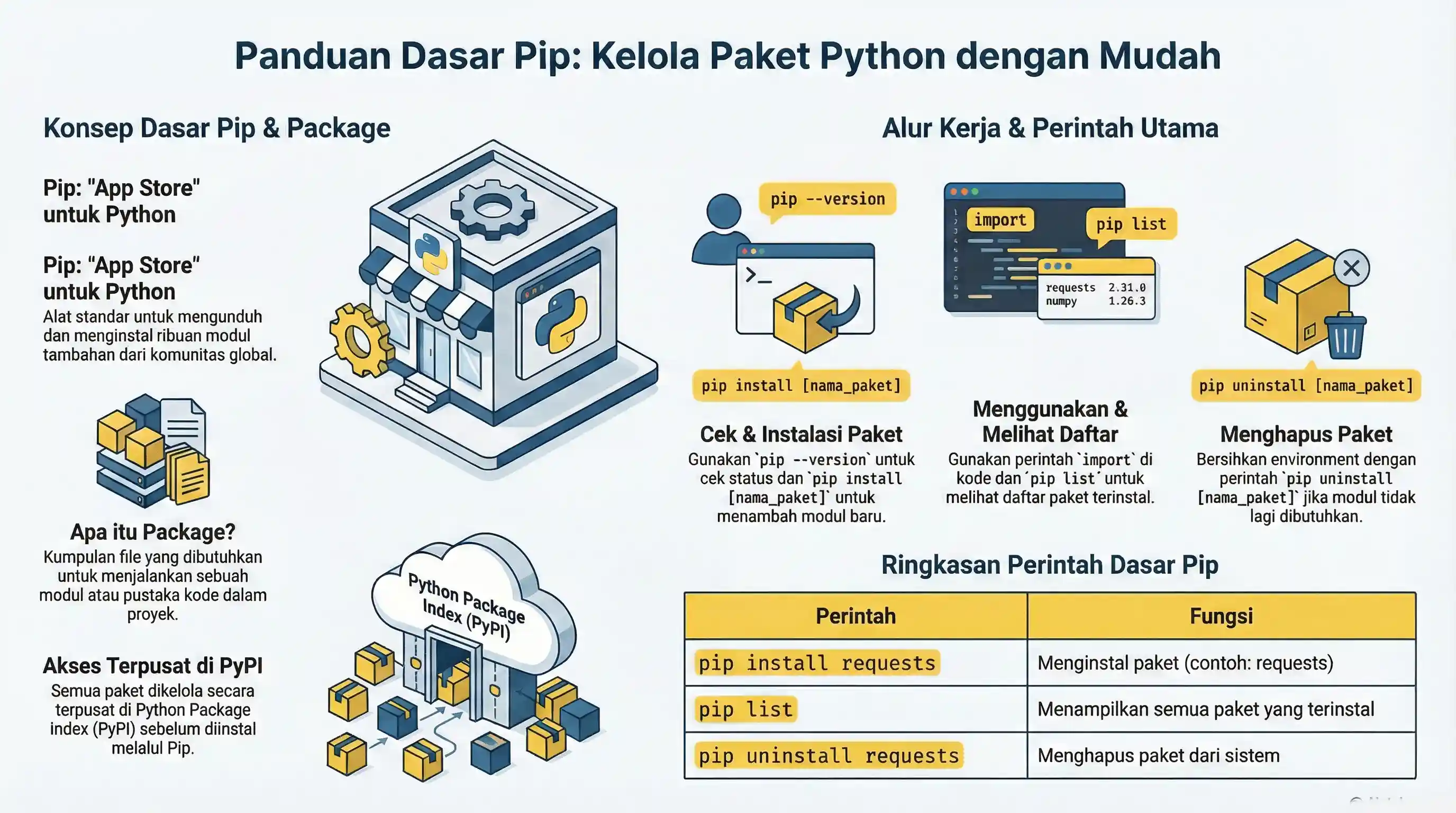
pip is the standard package manager for Python. You use it to install, upgrade, and remove third-party libraries.
In day-to-day work, pip is used together with venv so project dependencies stay isolated and reproducible.
What is a Package?
A package is a distributable set of Python modules and metadata, usually published on PyPI.
Check if pip is Installed
# Windows (py launcher)
py -m pip --version

python -m pip --version
# or
python3 -m pip --version
Using python -m pip is recommended because it targets the same Python interpreter you run.
Run these commands inside your project virtual environment whenever possible.
Installing Packages
python -m pip install requests
Install a specific version when you need stable behavior:
python -m pip install requests==2.32.3
Upgrading Packages
python -m pip install --upgrade requests
You can also install optional extras:
python -m pip install "requests[socks]"
Using Installed Packages
requests package to be installed first.# non-runnable: requires external environment/setup
import requests
response = requests.get("https://belajarpython.com", timeout=10)
print(response.status_code)
Viewing Installed Packages
python -m pip list
Removing Packages
python -m pip uninstall requests
Searching and Inspecting Packages
- Search at PyPI
- Inspect package details:
python -m pip show requests
Reproducible Dependencies
python -m pip freeze > requirements.txt
python -m pip install -r requirements.txt
pip freeze captures exact installed versions, which helps avoid "works on my machine" issues.
Common Errors
- Installing globally instead of in
.venv, causing project mismatch later. - Running
pipfrom a different Python installation than the one used to run the app. - Version conflicts between packages (resolve by pinning compatible versions).
- Missing quotes for extras in some shells (
"package[extra]").
What Now?
After learning basic packaging workflow, continue with:
- Python Standard Library docs: https://docs.python.org/3.13/library/
- Python Language Reference: https://docs.python.org/3.13/reference/
- Official Python Tutorial index: https://docs.python.org/3.13/tutorial/
Keep practicing by building small projects, isolating each project with venv, and pinning dependencies with requirements.txt.