


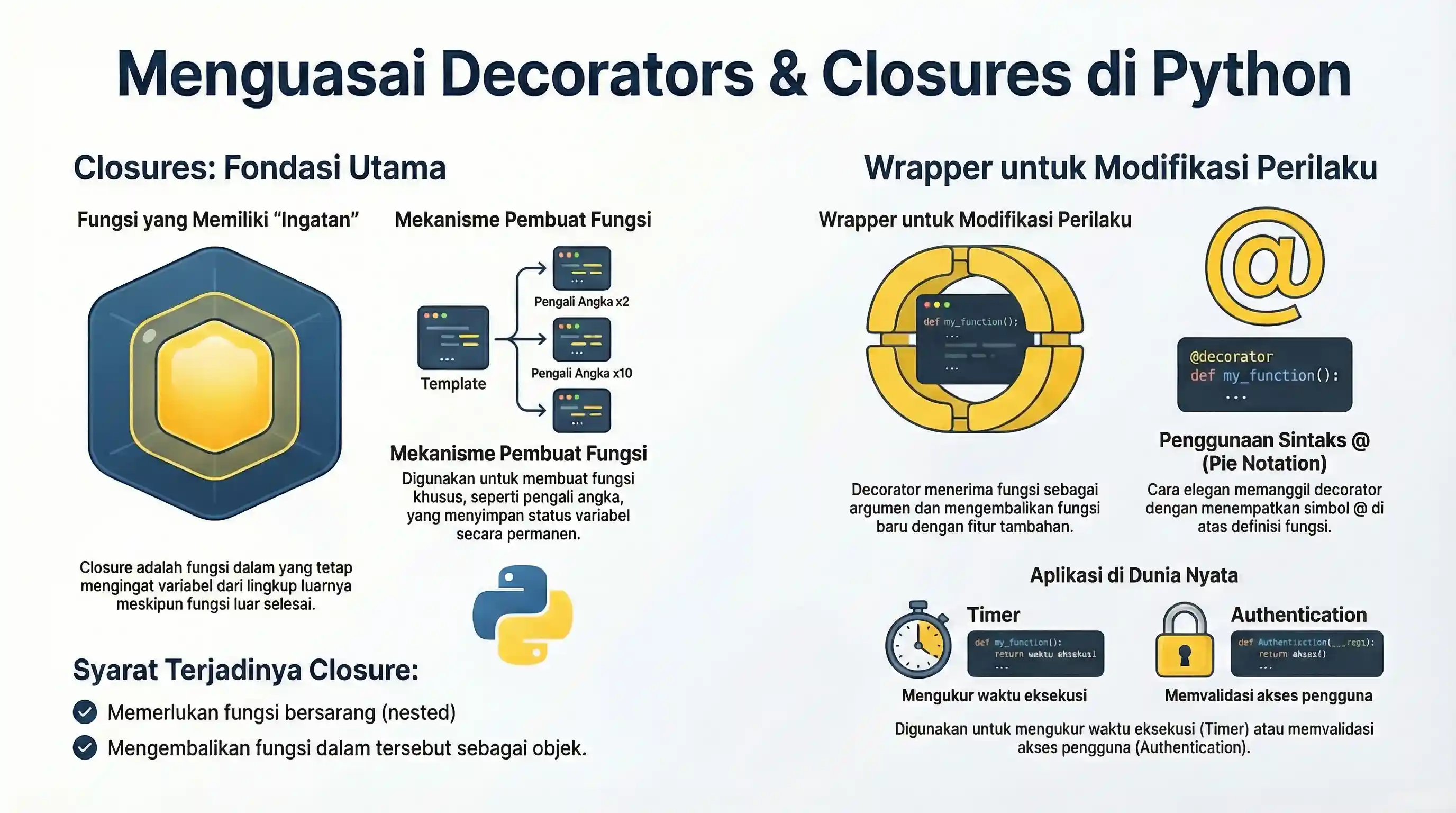
Decorators and Closures are two advanced concepts in Python that are very powerful. Although they sound intimidating, they are the foundation of much of the "magic" that happens in popular frameworks like Django, Flask, and FastAPI.
Imagine you have a gift (a function). You want to wrap that gift in beautiful wrapping paper (decorator) before giving it to someone else. You don't change the contents of the gift, but you "beautify" or add features to the gift from the outside. That is the essence of a Decorator: modifying the behavior of a function without changing its original code.
Before getting into Decorators, we need to understand the concept of Closures first.
1. Closures
A closure is a function that "remembers" the variables from the scope where it was created, even after that scope has finished executing.
Nested Function Concept
In Python, we can create functions inside functions:
def outer(x):
    def inner(y):
        return x + y
    return inner
Creating a Closure
Look at this example:
def multiplier_maker(n):
    def multiplier(x):
        return x * n
    return multiplier

# Create closure
times_three = multiplier_maker(3)
times_five = multiplier_maker(5)

print(times_three(10))  # Output: 30
print(times_five(10))  # Output: 50
Here, the times_three function still "remembers" that the value of n is 3, even though the multiplier_maker function has finished executing. This is a Closure.
2. Decorators
A decorator is basically a Closure that takes a function as an argument and returns a replacement function (wrapper).
Simple Decorator
def my_decorator(func):
    def wrapper():
        print("Before function is called")
        func()
        print("After function is called")
    return wrapper

@my_decorator
def say_hello():
    print("Hello World!")

say_hello()
Output:
Before function is called
Hello World!
After function is called
3. Decorator with Arguments (*args, **kwargs)
To make a decorator work with any function (which has any number of parameters), use *args and **kwargs.
def log_function(func):
    def wrapper(*args, **kwargs):
        print(f"Function call: {func.__name__}")
        return func(*args, **kwargs)
    return wrapper

@log_function
def add(a, b):
    return a + b

print(add(3, 5))
# Output:
# Function call: add
# 8
4. Preserving Metadata with functools.wraps
When you wrap a function, the wrapper replaces it — so the original name and docstring are lost. functools.wraps copies that metadata back onto the wrapper. Always add it to production decorators.
from functools import wraps

def plain(func):
    def wrapper(*args, **kwargs):
        return func(*args, **kwargs)
    return wrapper

def proper(func):
    @wraps(func)
    def wrapper(*args, **kwargs):
        return func(*args, **kwargs)
    return wrapper

@plain
def greet():
    """Say hello."""

@proper
def welcome():
    """Say welcome."""

print(greet.__name__)    # wrapper  (metadata lost)
print(welcome.__name__)  # welcome  (metadata preserved)
print(welcome.__doc__)   # Say welcome.
5. Decorators That Take Arguments
Sometimes you want to configure the decorator itself, like @repeat(3). This needs one more layer: an outer function that accepts the arguments and returns the actual decorator.
from functools import wraps

def repeat(times):
    def decorator(func):
        @wraps(func)
        def wrapper(*args, **kwargs):
            for _ in range(times):
                result = func(*args, **kwargs)
            return result
        return wrapper
    return decorator

@repeat(3)
def greet(name):
    print(f"Hello, {name}!")

greet("Ada")
# Hello, Ada!
# Hello, Ada!
# Hello, Ada!
The three layers are: repeat(times) → decorator(func) → wrapper(*args, **kwargs).
6. Stacking Multiple Decorators
You can apply more than one decorator to a function. They are applied bottom-up — the one closest to the function runs first during wrapping:
def bold(func):
    def wrapper():
        return "<b>" + func() + "</b>"
    return wrapper

def italic(func):
    def wrapper():
        return "<i>" + func() + "</i>"
    return wrapper

@bold
@italic
def text():
    return "hi"

print(text())   # <b><i>hi</i></b>
@bold wraps the result of @italic, so italic is applied first and bold second.
7. Real World Examples
Timer Decorator (Measuring Execution Time)
Very useful for performance optimization.
import time
from functools import wraps

def timer(func):
    @wraps(func)  # Best practice: preserve original function metadata
    def wrapper(*args, **kwargs):
        start = time.time()
        result = func(*args, **kwargs)
        end = time.time()
        print(f"{func.__name__} ran for {end - start:.4f} seconds")
        return result
    return wrapper

@timer
def heavy_process():
    time.sleep(1)
    return "Done"

heavy_process()
Authentication Decorator (Flask Example)
Ensures user is logged in before accessing certain pages.
# non-runnable: requires external environment/setup
def login_required(func):
    @wraps(func)
    def wrapper(*args, **kwargs):
        if not current_user.is_authenticated:
            return redirect('/login')
        return func(*args, **kwargs)
    return wrapper

@app.route('/dashboard')
@login_required
def dashboard():
    return "Dashboard Page"
Conclusion
- Closure: A function that remembers the state from its outer scope.
- Decorator: An elegant way to use Closures to modify functions.