


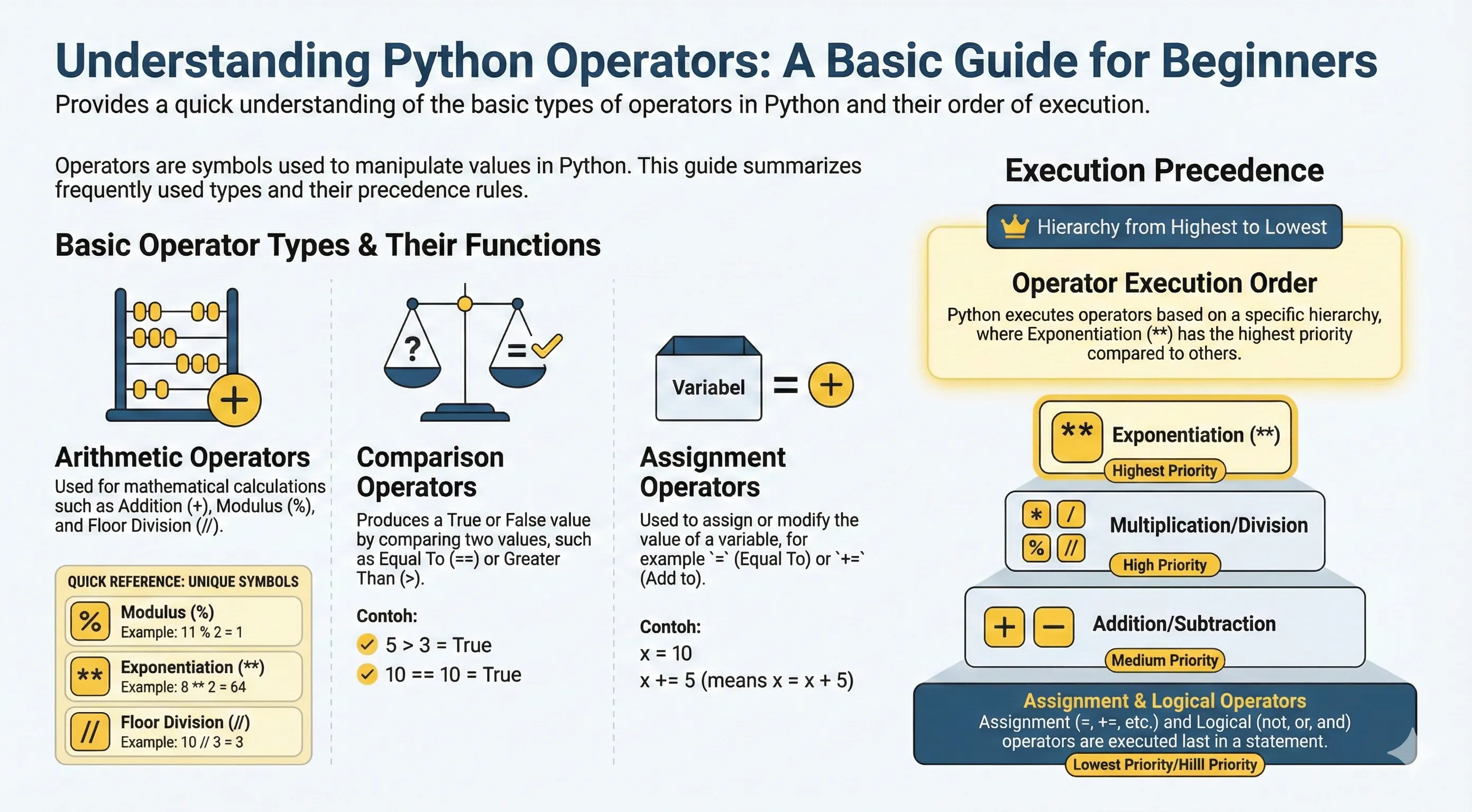
Operators are constructs that can manipulate the values of operands.
For example the operation 3 + 2 = 5. Here 3 and 2 are operands and + is the operator.
The Python programming language supports various kinds of operators, including:
- Arithmetic Operators
- Comparison (Relational) Operators
- Assignment Operators
- Logical Operators
- Bitwise Operators
- Membership Operators
- Identity Operators
Arithmetic Operators
| Operator | Example | Explanation |
|---|---|---|
Addition + |
1 + 3 = 4 |
Adds the value of each operand or number |
Subtraction - |
4 - 1 = 3 |
Subtracts the operand value on the left using the operand on the right |
Multiplication * |
2 * 4 = 8 |
Multiplies operands/numbers |
Division / |
10 / 5 = 2.0 |
To divide the operand on the left using the operand on the right |
Modulus % |
11 % 2 = 1 |
Gets the remainder of the division from the operand on the left when divided by the operand on the right |
Exponent ** |
8 ** 2 = 64 |
Raises the operand on the left to the power of the operand on the right |
Floor Division // |
10 // 3 = 3 |
Same as division, but the digits behind the decimal are removed |
Addition (+)
print(13 + 2)
apple = 7
orange = 9
fruit = apple + orange
print(fruit)
Subtraction (-)
debt = 10000
pay = 5000
remaining_debt = debt - pay
print("Remaining debt:", remaining_debt)
Multiplication (*)
length = 15
width = 8
area = length * width
print("Area:", area)
Division (/)
cake = 16
children = 4
cake_per_child = cake / children
print("Each child gets:", cake_per_child)
Modulus (%)
print(14 % 5)
print(10 % 3)
print(20 % 4)
Exponent (**)
print(8 ** 2)
print(2 ** 10)
print(5 ** 3)
Floor Division (//)
print(10 // 3)
print(7 // 2)
print(-10 // 3)
Comparison (Relational) Operators
Comparison operators are used to compare a value from each operand.
| Operator | Example | Explanation |
|---|---|---|
Equal to == |
1 == 1 |
True if each operand has the same value, then the condition is True. |
Not equal to != |
2 != 2 |
False. Will produce the opposite value of the actual condition. |
Greater than > |
5 > 3 |
True If the left operand value is greater than the right operand value, then the condition becomes true. |
Less than < |
5 < 3 |
True If the left operand value is smaller than the right operand value, then the condition becomes true. |
Greater than or equal to >= |
5 >= 3 |
True If the left operand value is greater than the right operand value, or same, then the condition becomes true. |
Less than or equal to <= |
5 <= 3 |
True If the left operand value is smaller than the right operand value, or same, then the condition becomes true. |
Below is an example of using Comparison Operators in Python programming language
# Equal to
print(1 == 1)  # True
print(1 == 2)  # False

# Not equal to
print(2 != 2)  # False
print(2 != 3)  # True

# Greater than
print(5 > 3)   # True

# Less than
print(5 < 3)   # False

# Greater than or equal to
print(5 >= 3)  # True

# Less than or equal to
print(5 <= 3)  # False
Assignment Operators
Assignment operators are used to give or modify values into a variable.
| Operator | Example | Explanation |
|---|---|---|
Equal = |
a = 1 |
Gives value on the right into the variable on the left. |
Add equal += |
a += 2 |
Gives variable value with variable value itself added with value on the right. |
Subtract equal -= |
a -= 2 |
Gives variable value with variable value itself subtracted by value on the right. |
Multiply equal *= |
a *= 2 |
Gives variable value with variable value itself multiplied by value on the right. |
Divide equal /= |
a /= 4 |
Gives variable value with variable value itself divided by value on the right. |
Modulus equal %= |
a %= 3 |
Gives variable value with variable value itself divided by value on the right. What is taken later is the remainder. |
Exponent equal **= |
a **= 3 |
Gives variable value with variable value itself raised to the power of value on the right. |
Floor Division equal //= |
a //= 3 |
Divides rounded operand left of operator with operand right of operator then the result is filled to left operand. |
x = 10
print("x =", x)

x += 5
print("x += 5 ->", x)

x -= 3
print("x -= 3 ->", x)

x *= 2
print("x *= 2 ->", x)

x //= 4
print("x //= 4 ->", x)
Logical Operators
Logical operators are used to combine conditional statements.
| Operator | Example | Explanation |
|---|---|---|
and |
True and False |
Returns True if both statements are true |
or |
True or False |
Returns True if at least one statement is true |
not |
not True |
Reverses the result, returns False if the result is true |
print(True and False)
print(True or False)
print(not True)

x = 10
print(x > 5 and x < 20)
print(x > 5 or x > 20)
print(not(x > 5 and x < 20))
Bitwise Operators
Bitwise operators are used to perform operations on individual bits of integer values.
| Operator | Name | Example | Explanation |
|---|---|---|---|
& |
AND | 10 & 4 |
Sets each bit to 1 if both bits are 1 |
| |
OR | 10 | 4 |
Sets each bit to 1 if one of the bits is 1 |
^ |
XOR | 10 ^ 4 |
Sets each bit to 1 if only one of the bits is 1 |
~ |
NOT | ~10 |
Inverts all the bits |
<< |
Left shift | 10 << 2 |
Shifts bits left by pushing zeros from the right |
>> |
Right shift | 10 >> 2 |
Shifts bits right by pushing zeros from the left |
a = 10  # 1010 in binary
b = 4   # 0100 in binary

print(a & b)    # 0 (AND)
print(a | b)    # 14 (OR)
print(a ^ b)    # 14 (XOR)
print(~a)       # -11 (NOT)
print(a << 2)   # 40 (left shift)
print(a >> 2)   # 2 (right shift)
Membership Operators
Membership operators are used to test if a value is found in a sequence (such as a string, list, or tuple).
| Operator | Example | Explanation |
|---|---|---|
in |
"a" in "apple" |
Returns True if the value is found in the sequence |
not in |
"b" not in "apple" |
Returns True if the value is not found in the sequence |
fruits = ["apple", "banana", "cherry"]

print("banana" in fruits)
print("mango" in fruits)
print("mango" not in fruits)
Identity Operators
Identity operators are used to compare whether two variables refer to the same object in memory, not just the same value.
| Operator | Example | Explanation |
|---|---|---|
is |
a is b |
Returns True if both variables point to the same object |
is not |
a is not b |
Returns True if both variables do not point to the same object |
a = [1, 2, 3]
b = a
c = [1, 2, 3]

print(a is b)
print(a is c)
print(a == c)
print(a is not c)
Operator Execution Priority in Python
Of all the operators above, each has a priority order where the first priority will be done first, and so on until the last priority.
| Operator | Description |
|---|---|
** |
Arithmetic |
~, +, - |
Bitwise |
*, /, %, // |
Arithmetic |
+, - |
Arithmetic |
>>, << |
Bitwise |
& |
Bitwise |
^ |
Bitwise |
<=, <, >, >= |
Comparison |
==, != |
Comparison |
=, %=, /=, //=, -=, +=, *=, **= |
Assignment |
is, is not |
Identity |
in, not in |
Membership |
not, or, and |
Logical |