


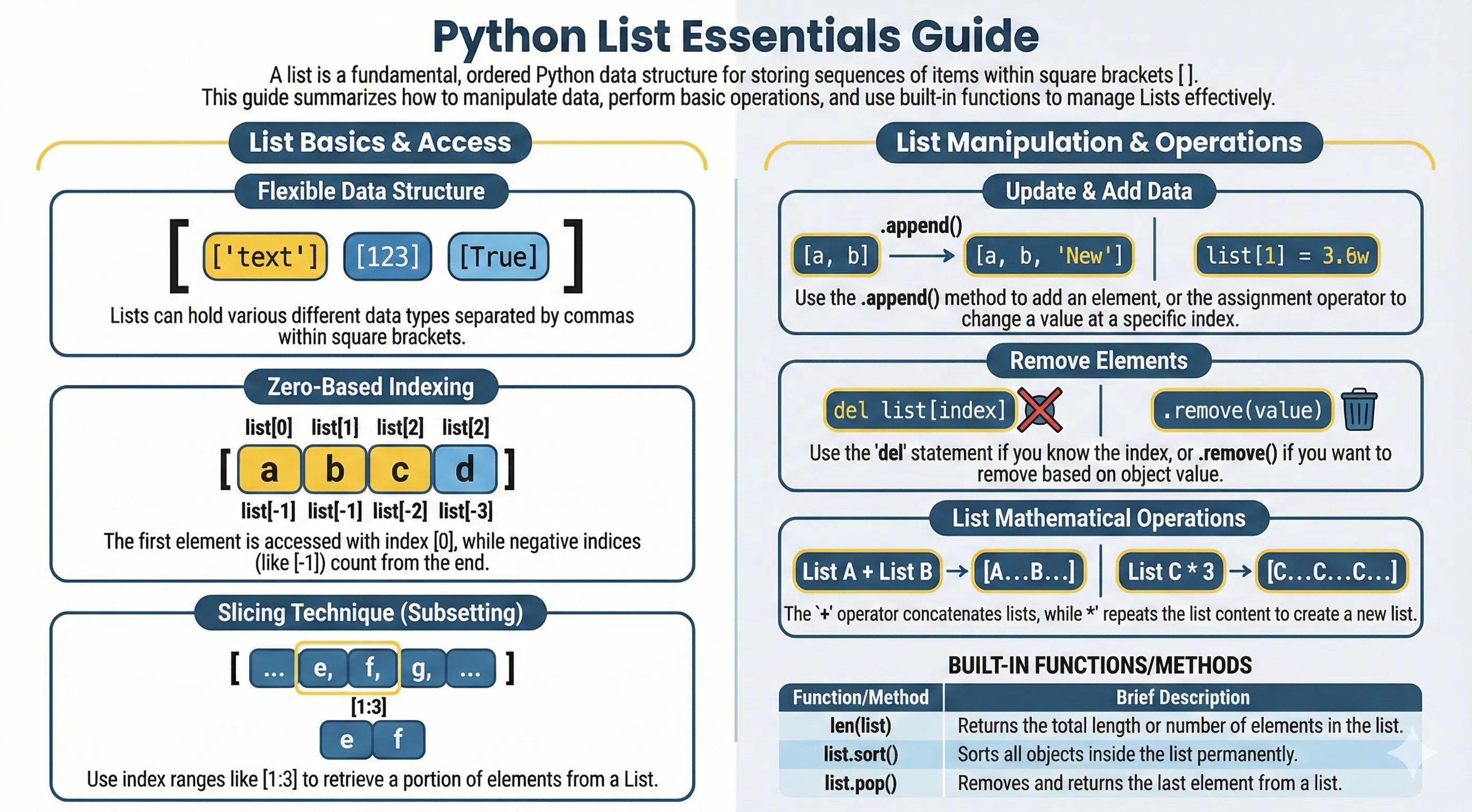
A list is an ordered collection of items, and it's one of the data structures you'll reach for most in Python. Each item has a position, called its index, starting from zero: the first item is at index 0, the second at index 1, and so on.
Lists support the operations you'd expect from a sequence — indexing, slicing, concatenation, repetition, and membership tests with in — plus built-in functions like len(), max(), and min().
Creating Python List
List is the most versatile data type available in Python, which can be written as a list of comma-separated values (items) between square brackets. The important thing about a list is that items in a list do not have to be of the same type.
Creating a list is very simple, just entering comma-separated values between square brackets. Below is a simple example of creating a list in Python.
#Simple example of creating list in python programming language
list1 = ['chemistry', 'physics', 1993, 2017]
list2 = [1, 2, 3, 4, 5]
list3 = ["a", "b", "c", "d"]
Accessing Values in Python List
To access values in a python list, use square brackets for slicing along with the index or indices to obtain values available at that index.
Here is an example of how to access values in a python list :
#Way to access value in Python list

list1 = ['physics', 'chemistry', 1993, 2017]
list2 = [1, 2, 3, 4, 5, 6, 7]

print("list1[0]: ", list1[0])
print("list2[1:5]: ", list2[1:5])
After you execute the code above, the result will be as below :
list1[0]: physics
list2[1:5]: [2, 3, 4, 5]
Updating Values in Python List
You can update one or more values inside a list by giving the slice on the left side of the assignment operator, and you can add values to a list with the append() method. For example :
Avoid naming a variable list, because that shadows Python's built-in list(). Use a descriptive name instead:
data = ['physics', 'chemistry', 1993, 2017]
print("Value at index 2 : ", data[2])

data[2] = 2001
print("New value at index 2 : ", data[2])
Deleting Values in Python List
To remove values inside a python list, you can use one of the del statements if you know exactly the element you are deleting. You can use the remove() method if you do not know exactly which item to delete. For example :
#Example of how to delete value in python list

data = ['physics', 'chemistry', 1993, 2017]

print(data)
del data[2]
print("After value at index 2 is deleted : ", data)
Basic Operations on Python List
Python lists respond to the + and * operators much like strings; they mean concatenation and repetition here too, except that the result is a new list, not a string.
In fact, lists respond to all of the general sequence operations we used on Strings in the previous chapter. Below is a table of list of basic operations on python list.
| Python Expression | Result | Explanation |
|---|---|---|
len([1, 2, 3, 4]) |
4 |
Length |
[1, 2, 3] + [4, 5, 6] |
[1, 2, 3, 4, 5, 6] |
Concatenation |
['Hello!'] * 4 |
['Hello!', 'Hello!', 'Hello!', 'Hello!'] |
Repetition |
2 in [1, 2, 3] |
True |
Membership |
for x in [1,2,3] : print(x,end = ' ') |
1 2 3 |
Iteration |
Indexing, Slicing and Matrix on Python List
Because lists are sequences, indexing and slicing work the same way for lists as they do for Strings.
Assuming following input :
L = ['C++', 'Java', 'Python']
| Python Expression | Result | Explanation |
|---|---|---|
L[2] |
'Python' |
Offsets start at zero |
L[-2] |
'Java' |
Negative: count from the right |
L[1:] |
['Java', 'Python'] |
Slicing fetches sections |
Built-in Methods and Functions on Python List
Python includes built-in functions as follows :
| Python Function | Explanation |
|---|---|
len(list) |
Gives total length of list. |
max(list) |
Returns item from list with max value. |
min(list) |
Returns item from list with min value. |
list(seq) |
Converts a tuple into list. |
Python includes built-in methods as follows
| Python Methods | Explanation |
|---|---|
list.append(obj) |
Appends object obj to list |
list.count(obj) |
Returns count of how many times obj occurs in list |
list.extend(seq) |
Appends contents of seq to list |
list.index(obj) |
Returns the lowest index in list that obj appears |
list.insert(index, obj) |
Inserts object obj into list at offset index |
list.pop([index]) |
Removes and returns the item at index (the last item if index is omitted) |
list.remove(obj) |
Removes object obj from list |
list.reverse() |
Reverses objects of list in place |
list.sort(key=None, reverse=False) |
Sorts the items of the list in place |